
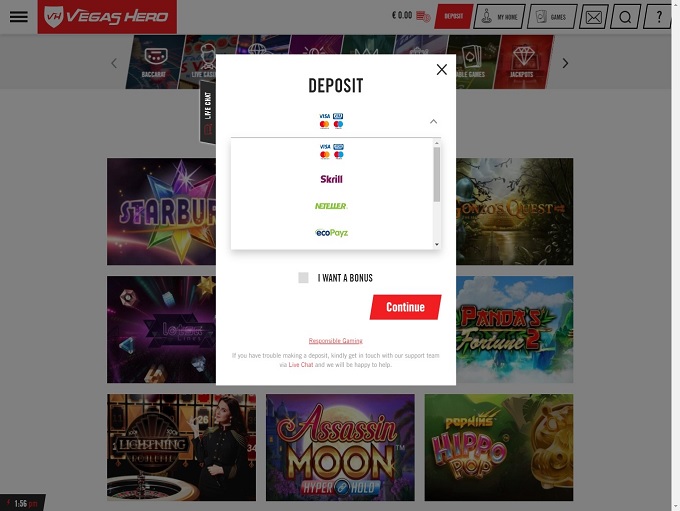
When you opt to gamble with Vegas Hero Casino from your mobile phone or slate, you’re right away confronted by a decision that influences every element from loading times to how you get new game updates. You can open your browser, enter our web address, and begin playing within seconds via our mobile-friendly website, or you can set up our dedicated application and press an icon on your device’s home display to jump directly into the main hall. At first sight the two options might seem to lead to the identical endpoint, yet the core technology, the manner your handset handles data, and the functionalities offered to you are different in aspects that matter when you go past an informal five-minute stint. We created both entry options since we understand no one solution fits each player, while we also recognize that understanding what distinguishes a native app from an adaptive mobile webpage assists you in making a wiser choice. In the upcoming sections we will walk you through the genuine technical and functional differences, describe precisely the manner in which our Vegas Hero Casino application functions on the Android platform and the iOS system, and supply you the information you need to set it up, keep it running smoothly, and maximize every spin, round, or real dealer table you enter from your mobile.
Comprehending the Pair of Mobile Access Methods
Ahead of we review our own product, it is valuable clarifying what we mean by a casino app and a mobile site, because the terms are commonly used vaguely. A mobile site is simply the identical web‑based platform you would access on a desktop computer, but served through a responsive design that reorganizes menus, buttons, and game windows to suit a more compact touch‑driven screen. When you access Vegas Hero Casino through Safari, Chrome, or any other mobile browser, your device is downloading each page, script, and image on the fly, just as it would on a laptop, and the experience lives entirely inside the browser tab. A dedicated casino app, by comparison, is a portion of software you install directly onto your device. It keeps core interface elements, graphics, and typically a choice of game assets locally, which indicates the app does not need to pull everything from our servers every time you start it. This architectural difference has knock‑on effects for speed, data consumption, and the kinds of features we can offer. On Android, our app is a native application compiled as an APK file that you install manually after obtaining it from our official page. On iOS, because of platform restrictions that influence real‑money gaming applications in certain markets, we supply an installable web app that functions like a native app once you add it to your home screen through Safari. Both approaches are intended to provide you an app‑like experience, but the installation path and some under‑the‑hood capabilities differ, and we want you to understand exactly what you are receiving before you continue.
Speed Data Usage and Loading Speeds
One of the most practical questions we hear from players is whether the app will consume more mobile data than the site and the answer is more complex than a simple yes or no. When you first get the Android APK or do the initial iOS web app setup you will spend a chunk of data to download the core application package. For Android the APK file itself is compact typically well under 100 MB and the first launch loads additional lobby assets that make the total initial footprint to a size comparable with a few minutes of high‑definition video streaming. After that initial setup however the app’s data efficiency starts to outpace the mobile site. Because interface elements fonts and frequently used game shells are stored locally the app only needs to fetch the specific game logic and live data streams when you play rather than re‑downloading the entire page framework each time you visit. In practice a typical hour of slot play on the app might use between 15 MB and 30 MB of data while the same session on the mobile site could use 20 to 40 percent more due to repeated asset requests. Live dealer games which stream video are the exception their data usage is dominated by the video bitrate and will be comparable on both platforms though the app’s ability to maintain a more stable WebRTC connection can cut buffering and the associated retransmission overhead. If you are on a metered connection you can further reduce data usage inside the app by lowering the video quality for live tables in the settings menu a control that is not always available as cleanly on the mobile site. Loading speeds also gain from the app architecture. Cold‑starting the app and reaching the lobby typically needs two to three seconds on a mid‑range device with a decent connection whereas the mobile site might need five to eight seconds to become fully interactive because the browser must process and display the entire responsive layout from scratch.
How to Install the Vegas Hero Casino App on iOS
On iOS, the deployment path varies because Apple’s App Store policies for real‑money gaming apps change by jurisdiction, and we have chosen to deliver an equally capable experience through an installable web application. This is not a concession; it is a deliberate design choice that places a full‑screen, app‑like interface on your home screen without requiring a trip to the App Store. To commence, open Safari on your iPhone or iPad and visit our official mobile site. You must use Safari because only Apple’s own browser offers the “Add to Home Screen” feature that builds the standalone app container. Once the page opens, tap the Share icon at the bottom of the screen — it resembles like a square with an arrow pointing upward. In the share sheet that appears, scroll down and select “Add to Home Screen.” You will then see a preview of the icon and have the option to edit the name that appears underneath it; we advise keeping it as “Vegas Hero” for easy recognition. Tap “Add” in the top‑right corner, and the icon will instantly be placed on your home screen alongside your other apps. When you launch it for the first time, the web app starts in a dedicated full‑screen window without Safari’s address bar or navigation buttons, which maximizes your visible game area. The first launch will store essential interface elements locally, so subsequent opens are noticeably faster. You can access, deposit, play, and withdraw just as you would on the mobile site, but with the convenience of a single tap from your home screen. If we ever release an update to the web app shell, it will be applied automatically the next time you start it while linked to the internet.
Device Requirements and Hardware Requirements
Before you attempt any installation, vegasherocasino apk, it is important to ensure that your device meets the technical requirements, because attempting to run the app on unsupported hardware can cause crashes or missing features. For our native Android application, we accommodate devices running Android 8.0 Oreo and above, which covers the vast majority of smartphones and tablets still in active use. The app is optimized for ARM‑based processors found in Samsung, Google Pixel, OnePlus, Xiaomi, and most other mainstream Android handsets, and we check extensively on screen sizes from five inches up to large‑format tablets. If you are using an older device with less than 3 GB of RAM, the app will still operate, but you may notice longer loading times when launching graphics‑heavy live dealer streams, and we recommend closing background applications to free up memory. On the Apple side, our installable web app requires iOS 14 or later and works on any iPhone, iPad, or iPod touch capable of running that operating system. Because the iOS version relies on Safari’s WebKit engine to provide an app‑like shell, it is important that you use Safari to execute the initial “Add to Home Screen” step; other browsers such as Chrome or Firefox for iOS do not support the full progressive web app installation flow. We regularly revise our compatibility list as new operating system versions are released, and you can always discover the most current requirements on our official app page. If your device sits right on the boundary of these specifications, we propose trying the mobile site first to gauge performance before committing to the install.
The Reason Behind a Custom Vegas Hero Casino App
Our mobile site already provides a complete casino experience, so you may wonder why we developed a standalone application. The answer comes from the limitations that every browser‑based environment creates, no matter how well it is optimized. A mobile site must work within the browser’s sandbox, which restricts persistent local storage, restricts access to device hardware such as biometric sensors, and makes it harder to send push notifications without depending on clunky workarounds. By building a dedicated app, we gain the ability to create a steadier, more responsive environment that seems native to your device. The app can pre‑load the lobby structure and frequently used interface elements, so when you click the icon you are in the casino in a fraction of the time it takes a browser to display the same page from scratch. We can also offer optional push notifications that notify you about new game releases, live tournament start times, or tailored promotions, but only if you grant permission, and you continue in full control of what you get. Another important reason is reliability. Mobile browsers diverge significantly in how they handle WebGL, audio contexts, and video streaming, which can lead to subtle differences in game performance between Chrome and Safari or between different OS versions. A native or installable app lets us to control the runtime environment much more closely, so the games you love look and run the same way every time you open them, regardless of which browser you usually employ.
Guide to Download and Set Up the Vegas Hero Casino App on Android
Setting up our Android app is a straightforward process, but because we distribute the APK right rather than through the Google Play Store, you will must change one security setting before you start. First opening the browser on your Android device and visiting the official Vegas Hero Casino app page. Look for the clearly marked download button, which will initiate the APK file transfer. Before you can access the downloaded file, your device will probably block the installation because it comes from an unknown source. This is normal Android behaviour and not a cause for concern when you are getting from our verified domain. To continue, open your device Settings, go to “Apps” or “Security,” and activate the option called “Install unknown apps” or “Allow from this source” for the browser you used. Once that permission is granted, go back to your downloads, click on the APK file, and follow the on‑screen prompts. The installer will present the permissions the app needs, which typically include access to storage for caching game assets and, if you opt to enable them later, notifications. The installation itself requires less than a minute on most modern devices. After it completes, you will spot the Vegas Hero Casino icon in your app drawer. Tap it to open the app, login with your existing account details or set up a new account, and the app will perform a quick first‑run setup that loads the latest lobby data. We advise saving the APK file in your downloads folder until you have verified the app is running correctly, as this allows it easy to install again without downloading again if you ever have to troubleshoot.
Protection and User Safeguarding on Mobile
Protection is not a aspect we treat as an afterthought, and the architectural variations between an app and a mobile site have actual implications for how your account and fiscal details are safeguarded. When you game through a mobile browser, your connection hinges on HTTPS security between the browser and our infrastructure, which is strong, but the browser environment itself is shared with all other website you access. A malicious tab running in the background could, in principle, try to review cookies or intercept clipboard data, though modern browsers have mostly closed these routes. Our dedicated app decreases the attack surface considerably. On Android, the APK is verified with a cryptographic key that your device checks on installation, and any modification with the app package will result in the signature check to malfunction, blocking the app from launching. The app also utilizes certificate pinning, which means it will only trust our specific SSL certificates and will reject connections if a man‑in‑the‑middle attempts to show a different certificate, a layer of safeguarding that standard browser sessions do not apply as strictly. On iOS, the installable web app functions in a sandboxed WebKit view that is segregated from other Safari tabs, and because you place it to the home screen from our verified domain, the initial trust anchor is set at deployment time. Both platforms support the biometric authentication we noted earlier, which links account access to the hardware‑backed keystore or Secure Enclave on your device. We also advise enabling two‑factor authentication on your Vegas Hero Casino account, which operates identically whether you access via the app or the mobile site, but the app’s capacity to retain your device securely can diminish the occurrence with which you are prompted for a one‑time code on a trusted handset.
Remarkable In-App Capabilities You Will Not Discover on the Mobile Site
While the mobile site offers you full entry to our game library and cashier, the app unlocks a layer of ease and individualization that a browser tab simply cannot match. The most immediately noticeable distinction is biometric login. On both Android and iOS, you can enable fingerprint or facial verification so that opening the app and authenticating takes less than a second, without inputting your password each time. This functionality depends on the secure enclave built into your device’s hardware, meaning your biometric data never leaves your phone and is never stored on our servers. Another app‑exclusive feature is push notifications. Once you opt in, we can deliver you gentle nudges about a new progressive jackpot attaining a milestone, a live dealer table that is about to begin, or a time‑limited bonus that aligns with your playing choices. find out everything You control exactly which types of notification you receive, and you can disable them entirely from the app’s settings panel without altering your account. The app also offers a more refined game‑loading method. Because it can cache frequently used graphical assets in a dedicated cache that survives between sessions, games you revisit often will start with minimal loading spinners, even on connections that are less than perfect. Additionally, the app’s navigation is structured around a persistent bottom tab bar that maintains the lobby, cashier, promotions, and support sections one thumb‑tap away, whereas the mobile site must occasionally reload the navigation frame as you move between sections. These may look like small upgrades individually, but together they create a session flow that feels faster, more private, and more tailored to the way you actually play.
Maintaining Your App Updates and Fixing Frequent Issues
Maintaining the best possible experience means keeping your app up to date, and the procedure is different between our two platforms we support. On Android, since we provide the APK outside the Play Store, the app fails to update automatically in the background. We will alert you through the app itself and via the email address associated with your account when a new version is released. To update, you can visit our official app page again, download the latest APK, and install it over the existing version; your account data, preferences, and cached games will be preserved. We recommend looking for updates at least once a month, or whenever you notice a new game release that triggers a compatibility update. On iOS, the installable web app updates its shell automatically each time you launch it with an active internet connection, since the service worker that enables the offline capabilities verifies a new version in the background. recommended link If you ever encounter behaviour such as a blank screen, repeated crashes, or games that fail to load, there is a reliable sequence of steps you can perform before getting in touch with support. First, close the app completely and restart your device, which removes temporary memory leaks that might collect over long sessions. If the problem persists, wipe the app’s cache from within its settings menu; this erases locally stored assets and initiates a fresh download on the next launch, resolving most corruption issues without impacting your login credentials. On Android, you can also attempt uninstalling and reinstalling it using the latest APK from our site. On iOS, deleting the home screen icon and reinstalling it via Safari effectively executes the same clean installation. When none of these steps restore normal operation, our support team can be reached around the clock through live chat, and providing them with your device model and OS version will help them diagnose the issue quickly.